Your whole studio. You stay in charge.
Record many tracks at once, edit audio and MIDI, mix with Nebula’s own instruments and effects or your Audio Unit plug-ins, and master to a loudness target. Claude is ready to help, within the switches you set.
Includes Nebula Kick, EQ, Genesis and Drums, which ship inside it. Also in Nebula Complete and All Access.
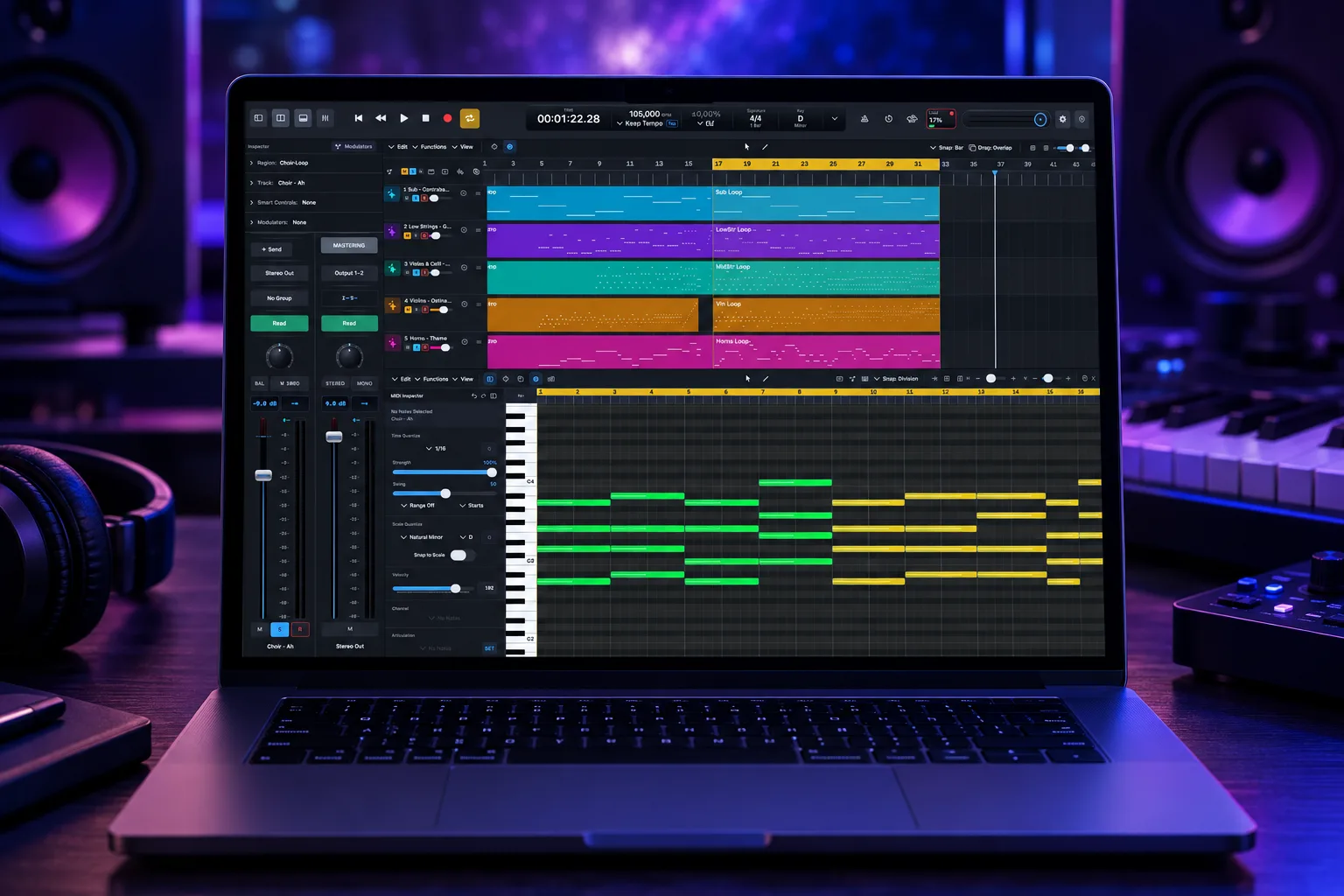
One session
From the first take to the master.
Record every track at once
Many tracks in one pass, all starting on the same sample. Every take is kept in a take folder, ready to comp.
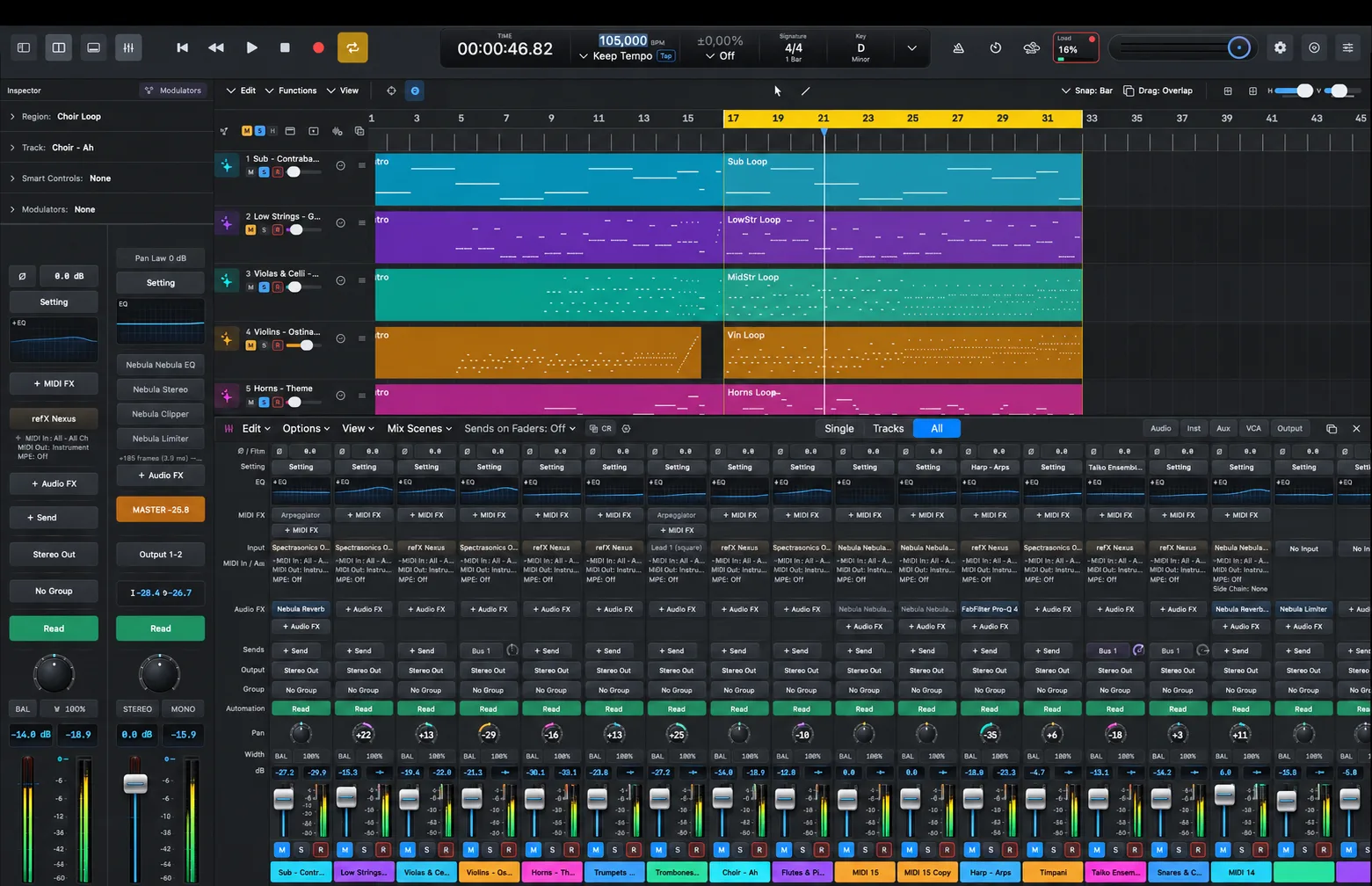
Shape it without cutting it up
Flex Time and Flex Pitch move hits and notes inside the audio. The piano roll and the score show the same parts.
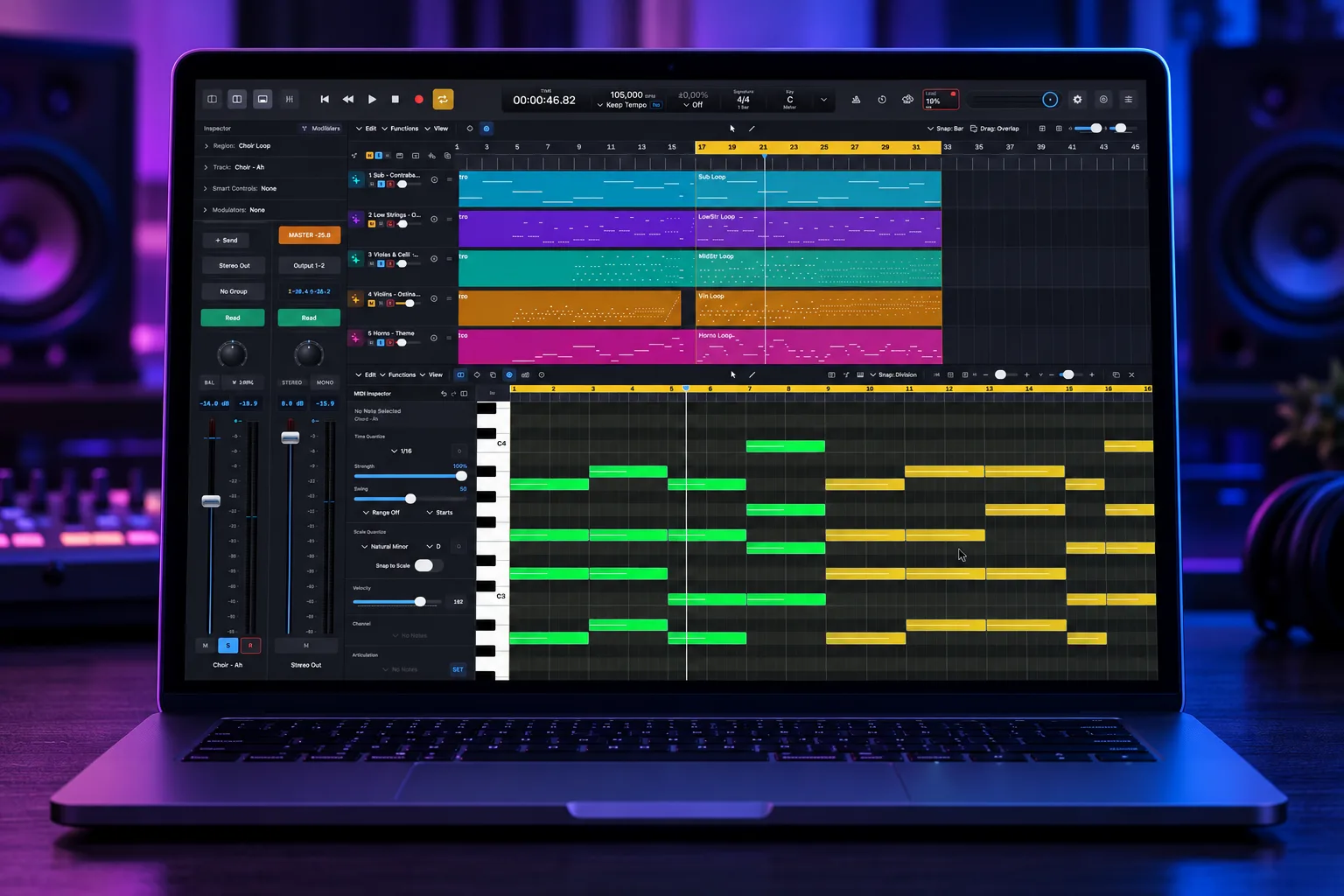
Mix on a console that remembers
A channel strip for every track, bus and output. Every move is one undo step; mix scenes recall the whole mix.
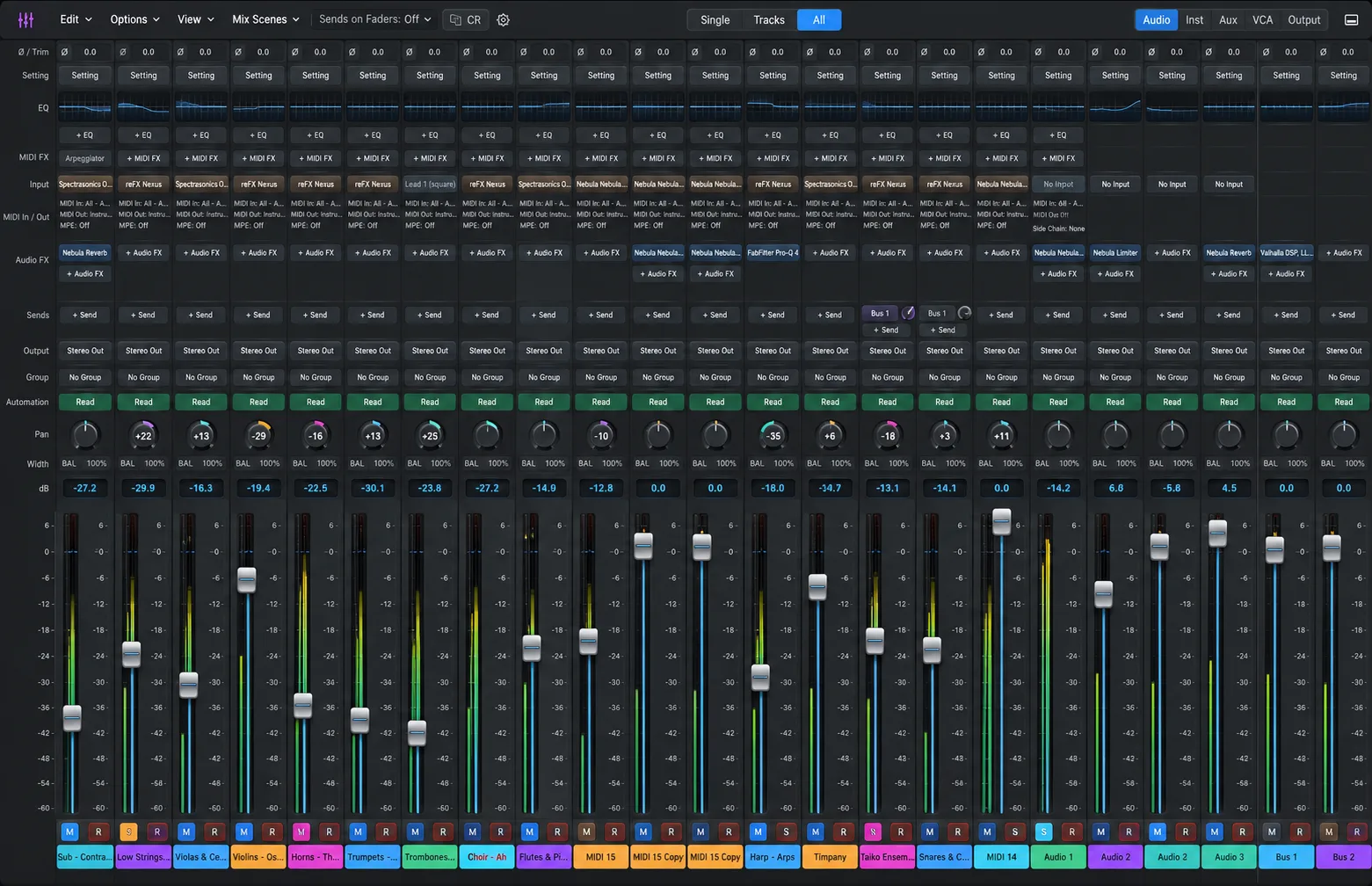
Master to a target, and know why
Pick a loudness target and the Mastering Assistant sets Nebula’s own chain, then explains every change it made.
Get to know Nebula DAW
From the first idea to the master
Write & record
Record everything. Keep every take.
Record one track or many at once; every track in one pass starts on the same sample. Record over the same place and Nebula keeps every take in a take folder.
Many tracks, one pass
Arm many audio tracks; an armed instrument track records MIDI in the same pass, and every track starts on the same sample.
Take folders and comping
Record over the same place and every take is kept. Comp with 10 ms crossfades you can set from 0 to 200 ms.
Capture as Recording
Played something good without pressing Record? Nebula kept it.
Punch, safely
Punch recording with pre-roll and post-roll, record-safe tracks and edit groups.
Edit
Fix the timing. Keep the feel.
Flex changes the timing and tuning of recorded audio without cutting it up. It all happens in the audio editor. The piano roll shows a MIDI region's notes, and the score shows the same regions as notation. Marks you write in the score play back.
Flex Time and Flex Pitch
Move a hit and the audio stretches around it. Move the notes a voice sings.
Smart Tempo and Varispeed
Give a performance played without a click a grid. Varispeed from -50% to +100%.
Spectral editing
Turn down, erase or heal a cough or a click.
Piano roll and score
Step input, grooves and the Event List; articulations, dynamics and lyrics in the score play back.
Session players
Bass, Keys, Strings Pad, Guitar Strum and Drummer follow the chord track.
Print the parts
Full scores, score sets and parts, printed or as PDF.
Mix
Every move is one undo step.
Every track, bus and the Stereo Out has a channel strip. Every fader, pan or send move is one undo step.
Single, Tracks or All
Follow one signal from source to speaker, or see every channel at once.
Automation and modulators
Read, Touch, Latch, Write and Trim, plus LFO, envelope follower, steps, note and macro modulators.
Mix scenes
Recall the whole mix in one step.
Surround to 7.1.4
From LCR to 7.1.4, with a Control Room for speaker sets, dim and talkback.
Master
Hit the target. Know why.
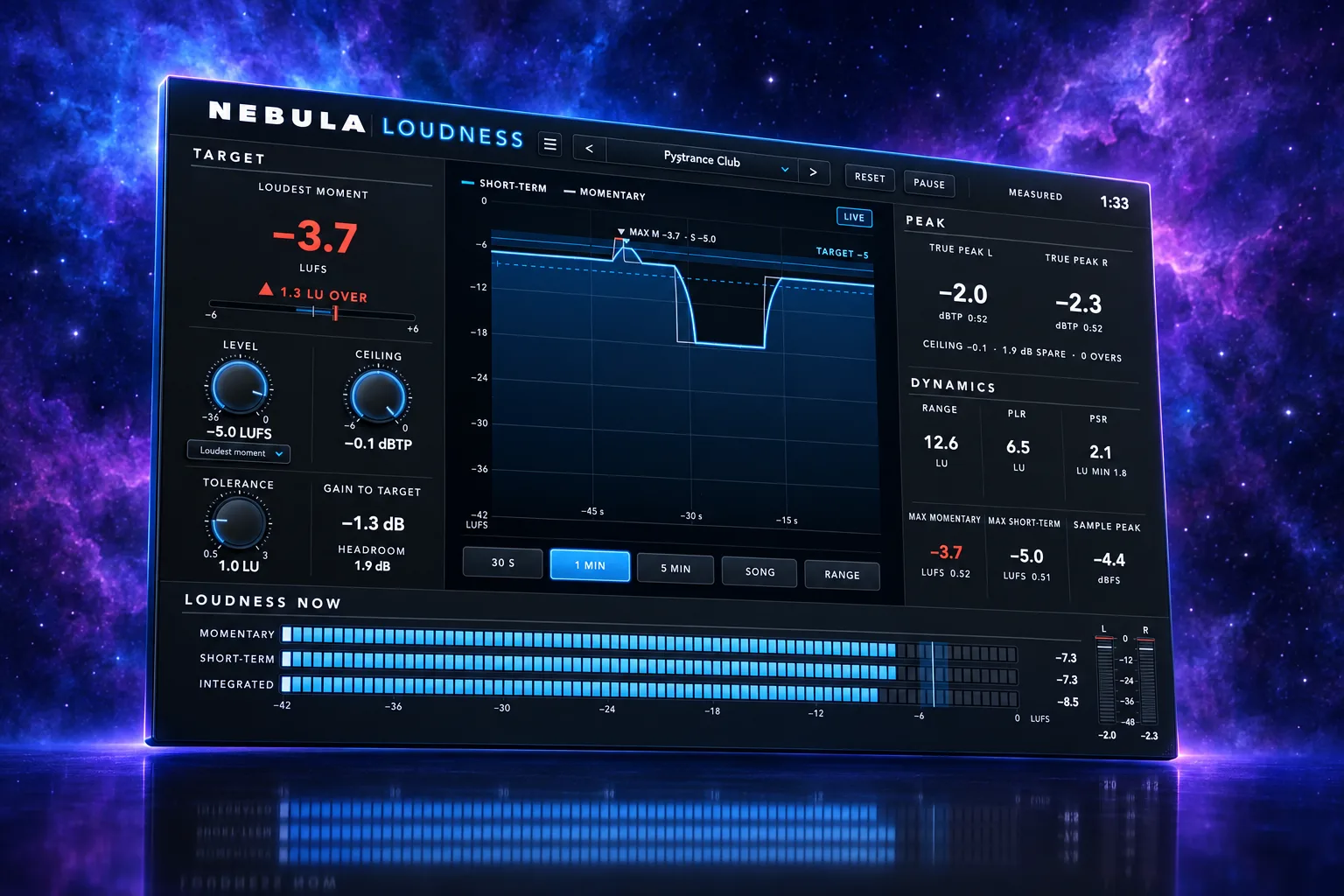
Mastering happens on the Stereo Out, with a loudness meter, a chain of Nebula's own processors and a Mastering Assistant. The assistant explains each change it makes.
Loudness targets
From Psytrance Club and Streaming to Broadcast and Podcast.
Every measurement
Momentary, short-term, integrated, range, true peak and sample peak.
A full mastering chain
EQ, Multiband, Compressor, Exciter, Punch, Stereo, Clipper and Limiter, all Nebula’s own.
Reference tracks
Learns tone from a folder of your reference tracks, and compares master and mix at the same loudness.
Stems & Rebalance
Take a finished song apart.
Nebula can take a finished song apart into stems, each on its own track. Rebalance turns one part up or down inside a finished stereo mix.
4, 6 or 11 stems
Lead and backing vocals, vocal reverb and the drum kit pieces, each on its own track.
Rebalance
Turn the Kick, Bass, Drums, Vocals or Everything Else up or down by up to 6 dB inside a stereo mix.
Listen first
Hear each stem and compare it with the original before you add it.
On this Mac
Splitting and Rebalance run on your Mac. Nothing is uploaded.
Sounds
Four Nebula instruments inside.
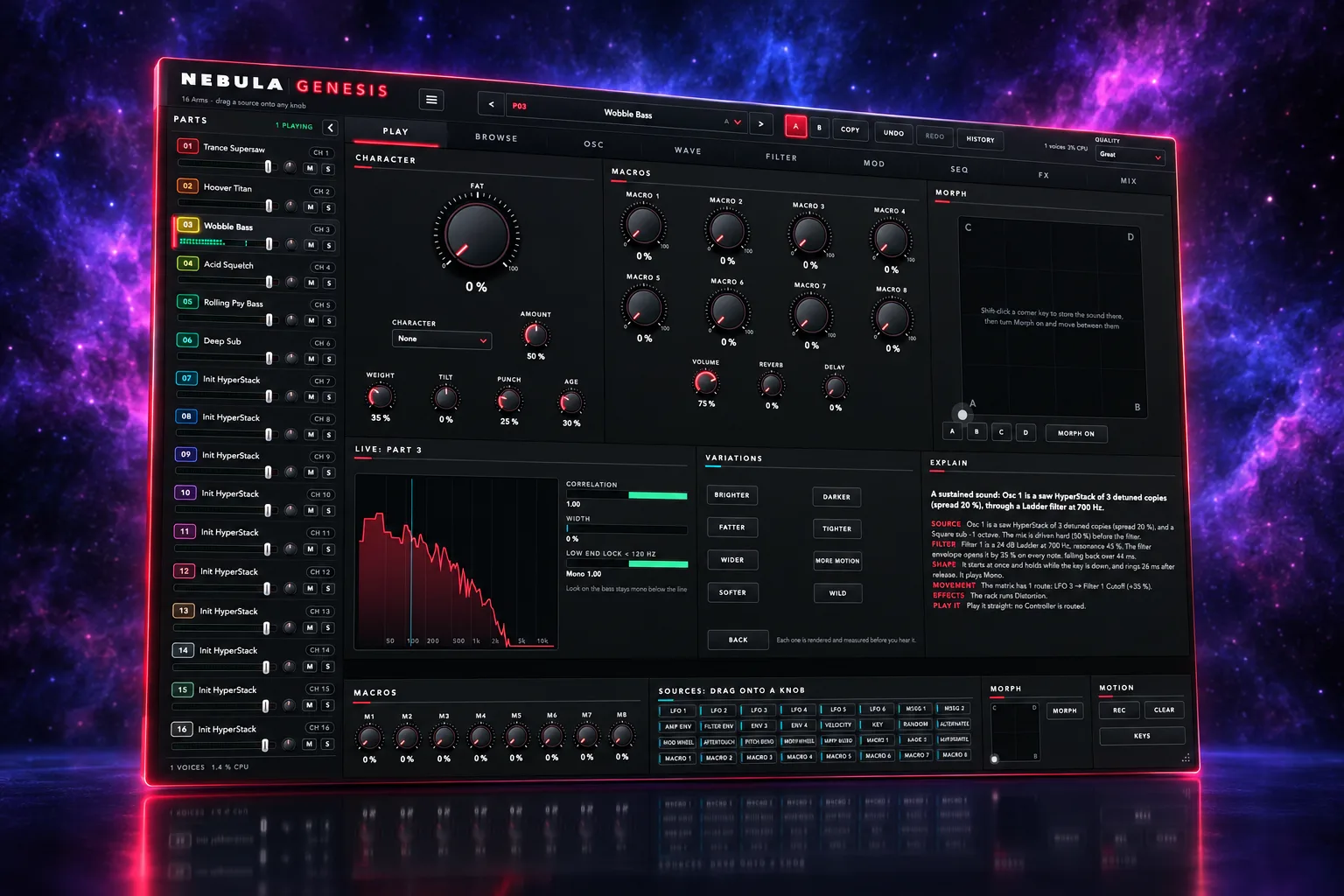
Nebula DAW ships with Nebula Kick, EQ, Genesis and Drums, plus its own instruments, MIDI effects and processors. They save with the song and render the same in a bounce.
Nebula Genesis
225 patches in a 16-part synth built for weight.
Nebula Kick
100 kick presets, phase-anchored and measured.
Nebula Drums
8 kits: every drum but the kick, locked to it.
Nebula EQ
A 24-band EQ whose curve matches the audio.
- Instruments: Nebula Sampler, Keys, Poly, Grid, Kick, Genesis and Drums
- MIDI effects: Arpeggiator, Transposer, Velocity Processor, Modifier, Randomizer, Chord Trigger, Note Repeater, MIDI Modulator and Scripter
- Tools: Tuner, Analyzer, Pitch Correction, Pitch Shifter, Restore, Channel EQ and Match EQ
- Dynamics: Compressor, Limiter, Clipper, Gate, De-Esser, Multiband, Punch and Exciter
- Modulation and colour: Chorus, Phaser, Tremolo, Auto-Filter, Flanger, Saturation, Amp, Bitcrusher, Ring Modulator, Rotary, Vocoder and Pedalboard
- Space: Reverb, Cosmos, Space, Delay, Tape Delay, Multi-Tap and Stereo
The Library
Your sounds, ranked for this song.
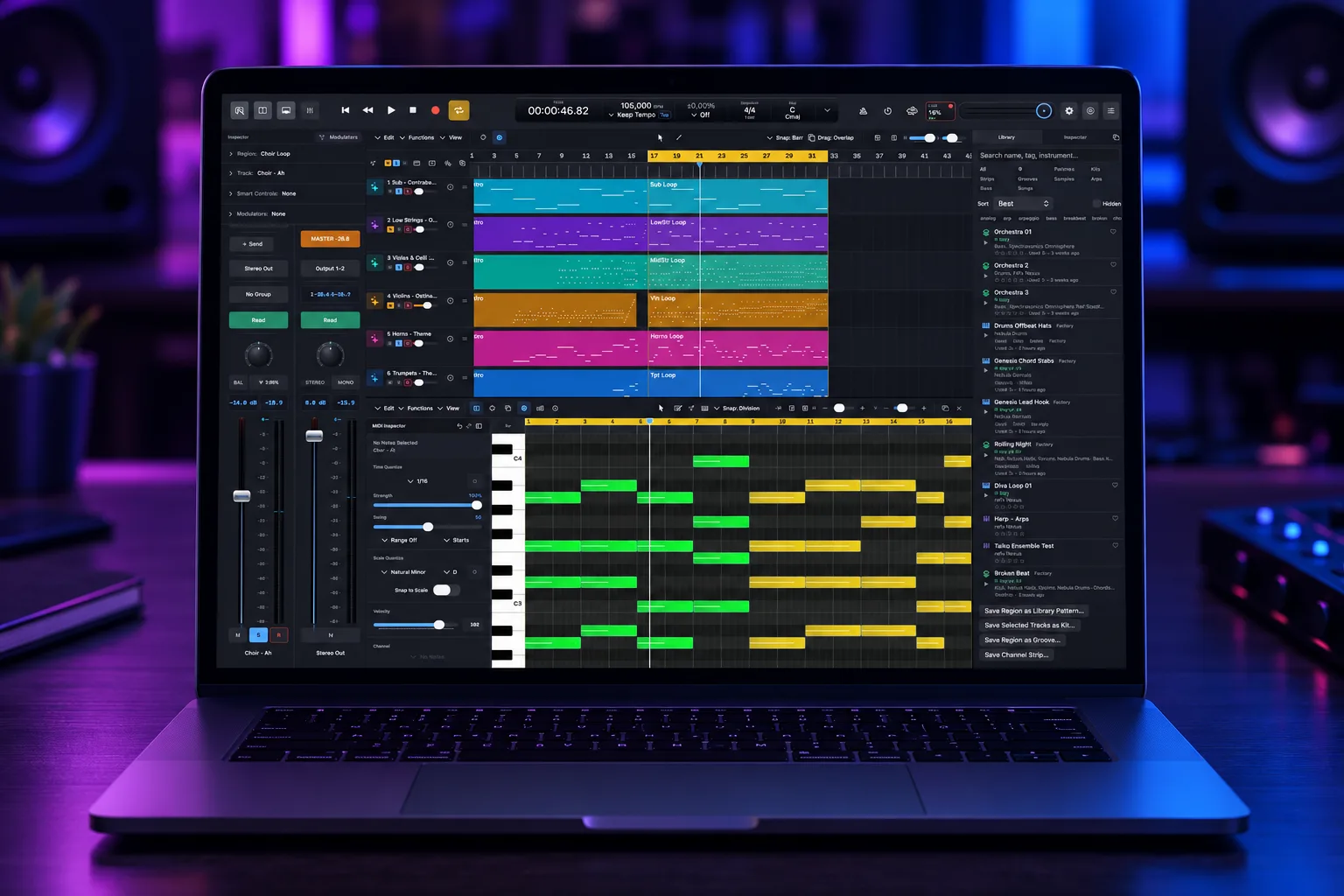
The Library keeps the sounds you want to use again. Templates are whole songs to start a new one from.
Everything you keep
Patterns, kits, grooves, channel strips, samples, arp patterns and songs.
Fits the key
Shows how well a pattern fits the song’s key, and places it in key.
Your taste, remembered
Favourites, stars, tags and Never Use decide what comes first.
Samples that know their tempo
Apple Loops, ACID and REX tempo and key are read.
Claude in Nebula
Help in the song. You stay in charge.
Claude can work in your song like a session musician and engineer you trust. It talks only to Nebula on this Mac, and everything it changes can be undone.
Off, Ask or Auto
Set it for each area: reading, writing music, sound and mix, tempo and key, transport, recording, files, deleting and bouncing.
Pause Claude
One switch, and Claude stops at once.
Its own undo
Each idea is one named undo step, and Claude’s undo only takes back its own changes.
Never records
Claude never arms a track, presses Record or turns on input monitoring.
Move in
Bring your songs with you.
Nebula reads and writes the open formats, so a song can move to another DAW or a notation app. After each transfer a bar says what was carried differently.
DAWproject
Import and export, the open format other DAWs read.
AAF
Import and export, with audio embedded or referenced.
MusicXML and MIDI
Move notation and parts to and from notation apps.
A report, every time
After each transfer a bar says what was carried differently.
Measured, not claimed
Built to be trusted with a session
Questions
Nebula DAW FAQ
Which plug-ins does it play?
Audio Units. A VST2, VST3 or CLAP plug-in in an imported DAWproject is kept as a placeholder named "Missing".
Can I move a song to another DAW?
Yes. It imports and exports DAWproject, AAF, MusicXML and MIDI files, and a bar after each transfer says what was carried differently.
Can Claude record or change things I did not allow?
No. Claude never arms a track, presses Record or turns on input monitoring. It only does what your settings allow, and its undo only takes back its own changes.
Does the stem splitter need the internet?
No. Splitting and Rebalance run on this Mac.
What does it need?
An Apple Silicon Mac with macOS 14 or newer. Plays Audio Unit plug-ins.
Try Nebula DAW free for 30 days
Download, install, and every product runs fully for 30 days. No account and no card needed. Buy the ones you keep.